Reading time: minute(s)
 Deutsch
 English
 Français
Apply price model
To apply a , you must link it to a vehicle.
|
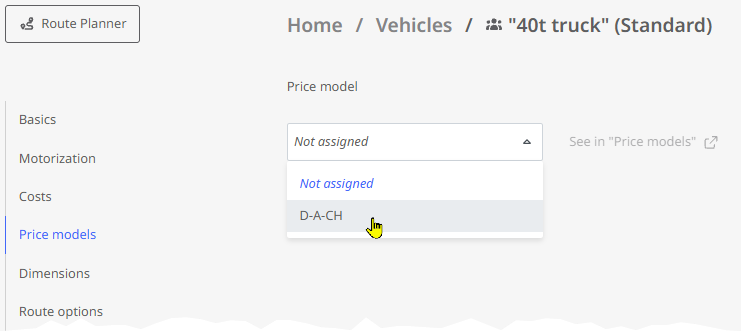
|
Note: The link between a vehicle and a price model is visible on the overview page in the "Price models" module.

The “Select price model” field displays the price model assigned to the vehicle. However, you can also select a different price model for a quick comparison. You can also adjust the currency used for the calculation. However, changes to these settings are not saved—the next route calculation will use the values from the model linked to the vehicle. Note: Since pricing based on a price list refers to the data in the cost profile, a message will appear if no cost profile has been assigned to the vehicle (either for the specific route or as a general assignment). Click the link in the message to go to the vehicle management and assign a cost profile to the vehicle for the route. |
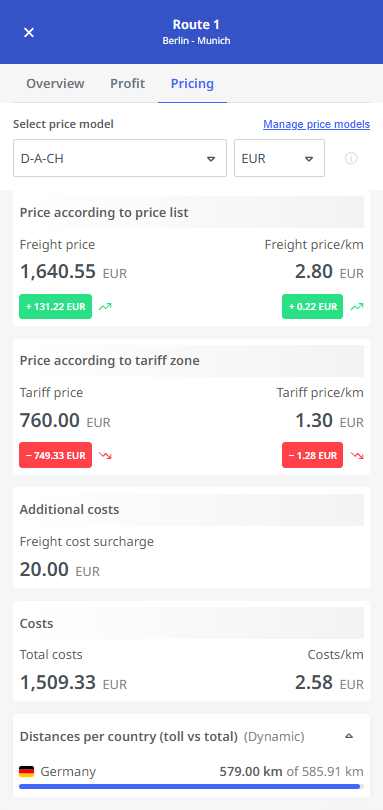
|